Scan your Webflow website, fix accessibility issues & empower every visitor
- 14-Day Free Trial
- No credit card required
- Cancel anytime
Everything you need for web accessibility
Smart scanning
Deep scan your Webflow website and find accessibility issues in seconds.
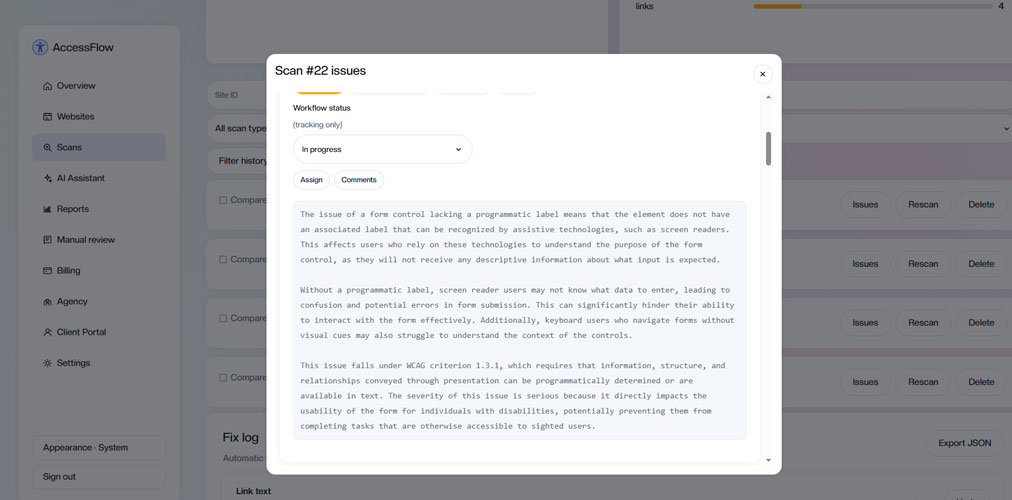
AI explanations
Get simple AI explanations to understand each issue and how to fix it manually.
Accessibility toolbar
Add a customizable toolbar with multiple accessibility controls for your visitors.
Detailed reports
Track your progress with detailed reports and accessibility scores.
WCAG 2.2 AA
Aligned with WCAG 2.2 AA standards and industry best practices.
Designer friendly
Scan pages directly from Webflow Designer with one click.
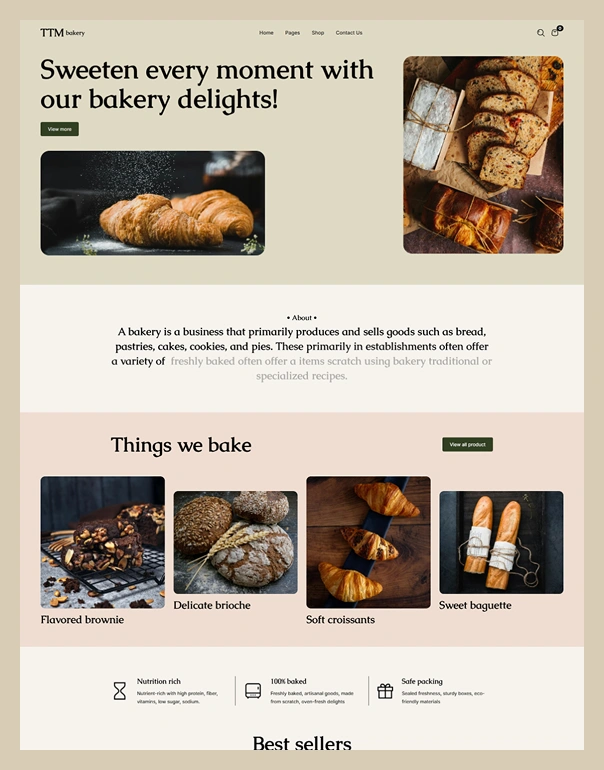
Creative Webflow demos
Explore creative Webflow demos designed with modern layouts, engaging visuals, and seamless user experiences.
Better webflow accessibility experience
- Text Size – Increase or decrease the text size.
- Letter, Line & Word Spacing – Adjust spacing for better readability.
- Other Accessibility Controls – Additional options to improve the overall browsing experience and accessibility.
Better webflow accessibility experience
- Text Size – Increase or decrease the text size.
- Letter, Line & Word Spacing – Adjust spacing for better readability.
- Other Accessibility Controls – Additional options to improve the overall browsing experience and accessibility.
Better webflow accessibility experience
- Text Size – Increase or decrease the text size.
- Letter, Line & Word Spacing – Adjust spacing for better readability.
- Other Accessibility Controls – Additional options to improve the overall browsing experience and accessibility.
Better webflow accessibility experience
- Text Size – Increase or decrease the text size.
- Letter, Line & Word Spacing – Adjust spacing for better readability.
- Other Accessibility Controls – Additional options to improve the overall browsing experience and accessibility.
Better webflow accessibility experience
- Text Size – Increase or decrease the text size.
- Letter, Line & Word Spacing – Adjust spacing for better readability.
- Other Accessibility Controls – Additional options to improve the overall browsing experience and accessibility.
Better webflow accessibility experience
- Text Size – Increase or decrease the text size.
- Letter, Line & Word Spacing – Adjust spacing for better readability.
- Other Accessibility Controls – Additional options to improve the overall browsing experience and accessibility.
Better webflow accessibility experience
- Text Size – Increase or decrease the text size.
- Letter, Line & Word Spacing – Adjust spacing for better readability.
- Other Accessibility Controls – Additional options to improve the overall browsing experience and accessibility.
Better webflow accessibility experience
- Text Size – Increase or decrease the text size.
- Letter, Line & Word Spacing – Adjust spacing for better readability.
- Other Accessibility Controls – Additional options to improve the overall browsing experience and accessibility.
How AccessFlow work
AccessFlow works by scanning your website and providing smart accessibility tools to make content easier for everyone to access.
Install app
Connect website
Scan website
Fix issues manually
Improve & track
Detect. Understand. Improve.
- Comprehensive accessibility checks
- Accurate issue detection
- WCAG 2.2 AA aligned
- Prioritized issue severity
- Actionable recommendations
Give every visitor an inclusive experience
- Many accessibility controls
- Fully customizable
- Lightweight & fast
- Works on all devices
- No coding required
How to add the accessibility toolbar in webflow
Copy the toolbar code from your Store dashboard.
Open your site in the Webflow Designer.
Go to **Site Settings → Custom Code**.
Paste the snippet into the **Footer Code** section, before `body` tag.
Publish the site to make the accessibility toolbar live.
Understand Accessibility issues with AI
- Simple language explanations
- Practical fix suggestions
- AI alt text suggestions for images
- Improves accessibility knowledge
AI does not fix issues automatically. You need to review the detected issues and manually apply the recommended changes in your Webflow site.
Built for agencies & teams
Multiple websites
Connect and manage unlimited websites.
Team collaboration
Invite team members and work together
Detailed reports
Generate professional reports for clients.
Track progress
Monitor accessibility score improvements.
Save time
Automate scans and focus on what matters.
Multiple websites
Connect and manage unlimited websites.
Team collaboration
Invite team members and work together
Detailed reports
Generate professional reports for clients.
Track progress
Monitor accessibility score improvements.
Save time
Automate scans and focus on what matters.
Simple, transparent pricing
Monthly plan
Get powerful Webflow accessibility scanning, AI guidance, reports, and accessibility tools with flexible monthly access
Billed monthly
- Connected websites
- Scans per month
- AI requests per month
- Saved reports per month
- White-label reports
- Agency & client portal
Yearly plan
Save with annual access to Webflow accessibility scanning, AI assistance, reports, and agency features
Billed yearly
- Connected websites
- Scans per month
- AI requests per month
- Saved reports per month
- White-label reports
- Agency & client portal