Choosing a WordPress theme for business mostly came down to one question: does it look good? That’s no longer enough. Visitors expect a site to load instantly, work perfectly on a phone, and feel trustworthy within seconds. Search engines and AI-powered answer tools expect clean, well-structured content they can actually read. And your business expects the theme to keep working and keep getting updated for years, not months.
This guide walks through what actually matters when choosing a WordPress theme for business in 2026, starting with what’s genuinely changed.
Table of Contents
What’s Actually Changed by 2026
AI-Powered Search
More people find answers through AI tools that summarize and cite content directly. Themes that produce clean, structured HTML help that content get read and represented correctly by both bots and humans.
Mobile Is the Default
Mobile isn’t a secondary experience to design around anymore — for most businesses, it’s the primary way people encounter the site at all. A responsive WordPress theme for business must be mobile-first, not just mobile-friendly.
Speed Expectations Rose
Patience for slow-loading pages has dropped further, making performance a baseline requirement rather than a nice-to-have. Heavy themes are now a liability.
Accessibility Is Expected
Readable contrast, keyboard navigation, and proper alt text support are increasingly treated as standard, not optional extras. An accessible theme widens your audience and improves overall usability.
What Different Businesses Actually Need from a WordPress Theme
| Business Type | Core Need | Theme Priority |
| Salon & Spa | Bookings, service menu | Booking plugin compatibility, gallery layouts |
| Restaurant & Café | Menu, orders, reservations | Food menu display, ordering integration |
| Law Firm & Consulting | Credibility, clear services | Team pages, case studies, clean typography |
| Gym & Fitness | Class schedules, memberships | Schedule/booking integration, bold visual style |
| Interior Design & Architecture | Portfolio, visual storytelling | Masonry galleries, before/after sliders |
| E-commerce & Retail | Product discovery, checkout | WooCommerce support, fast product pages |
Why Choosing the Right WordPress Theme Matters
Your WordPress theme for business is more than just a visual skin—it is the backbone of your site’s design and functionality. Choosing an unoptimized or outdated theme can lead to:
- Slow loading speeds that frustrate visitors and lower Google rankings.
- Security vulnerabilities caused by poorly coded or unmaintained files.
- Plugin conflicts that break key site features.
On the flip side, picking a well-crafted, lightweight theme ensures your site loads fast, looks great on all devices, and provides a seamless user journey.
Key Factors When Choosing a WordPress Theme for Business
When evaluating theme options, keep these key criteria at the top of your checklist:
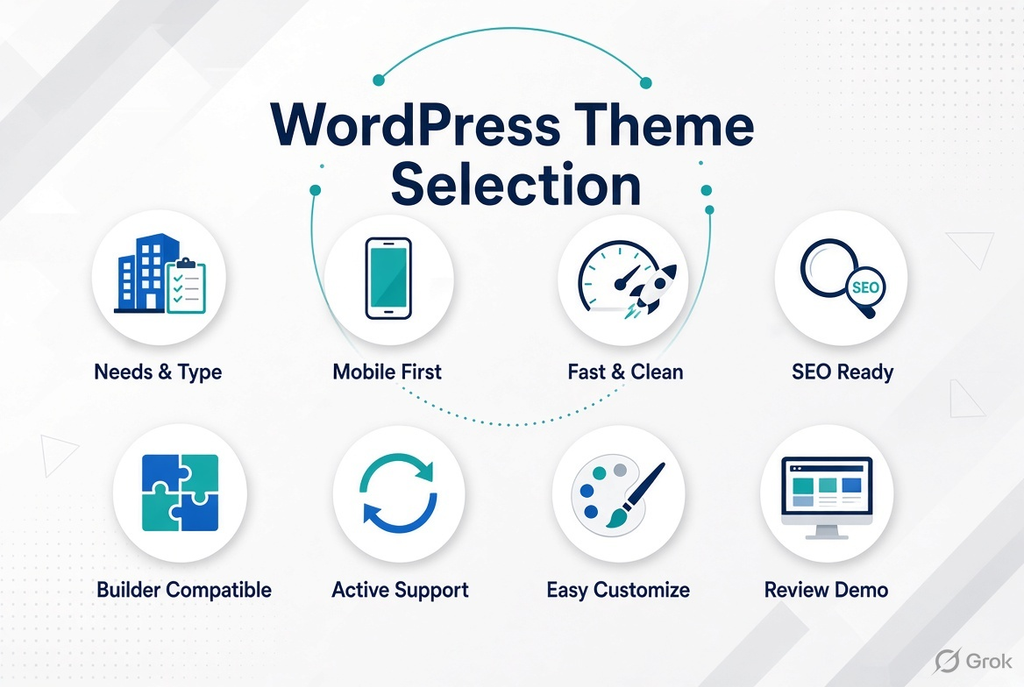
1. Identify Your Website Type & Requirements
Before browsing designs, list the core features your website needs. Are you launching an e-commerce store with WooCommerce, an IT consulting portal, or an interior design portfolio?
- Multipurpose Themes: Great for flexibility across various industries.
- Niche-Specific Themes: Pre-configured with tailor-made layouts and features for specific industries (e.g., handyman services, medical clinics, or finance consulting).
2. Prioritize Mobile Responsiveness
Over 60% of web traffic comes from mobile devices. A WordPress theme for business must look and perform flawlessly on smartphones and tablets. Always test the theme’s live preview on mobile screens or resize your browser to check its responsiveness.
3. Focus on Fast Performance & Clean Code
A heavy theme loaded with unnecessary scripts will slow down your site. Look for themes built with clean code and optimized asset delivery. Fast-loading websites rank higher on search engines and deliver better conversion rates.
4. Ensure SEO Friendliness
A visually appealing theme is useless if search engines cannot crawl it. An SEO-friendly theme uses proper HTML5 structure, schema markup compatibility, and fast rendering speeds to help your content rank higher.
5. Check Page Builder & Plugin Compatibility
Make sure your theme supports popular page builders (like Elementor or Block Editor) and essential plugins. Compatibility with plugins for booking appointments, custom sliders, or SEO schemas ensures smooth performance without technical glitches.
6. Check Theme Updates and Long-Term Support
A WordPress theme for business should not be treated as a one-time purchase. WordPress, browsers, plugins, and security standards continue to change, so your theme should be actively maintained. Before choosing a theme, check:
- How recently the theme was updated
- Whether the theme receives regular bug fixes
- Whether it supports current WordPress versions
- Whether documentation and support are available
- Whether the theme developer has a clear update history
7. Look at Customization Options
Your business website should not look exactly like every other website using the same theme. A good WordPress theme for business should give you enough control over the design without requiring extensive coding. Look for customization options such as:
- Header and footer layouts
- Typography and font controls
- Color settings
- Page and section layouts
- Blog and portfolio styles
- Multiple homepage designs
- Custom widgets or blocks
- Flexible spacing and layout controls
The goal is to start with a strong design foundation while still having enough flexibility to make the website match your brand.
8. Review the Theme Demo Carefully
A theme demo can look impressive, but don’t choose a theme based only on the homepage. Before purchasing or installing a WordPress theme for business, explore several pages from the demo. Check the:
- Homepage
- About page
- Services page
- Contact page
- Blog layout
- Individual blog post
- Mobile version
- Navigation menu
- Forms and buttons
- Footer
Where ThemetechMount Fits In
ThemetechMount builds WordPress themes for business around specific industries rather than one generic template stretched to fit everything with Elementor compatibility, SEO-friendly structure, and regular updates built in from the start. Rather than adapting a general theme to your business, you start from a layout already shaped around it.
Frequently Asked Questions
What’s different about choosing a WordPress theme for business in 2026 compared to a few years ago?
Expectations have shifted toward faster load times, mobile-first design, AI-readable content structure, and accessibility, in addition to the usual design and customization considerations.
What does “AI-ready” mean for a WordPress theme?
An AI-ready theme uses clean, structured code and proper heading hierarchy, which helps both search engines and AI-powered answer tools understand and surface your content accurately.
Does accessibility really matter for a small business website?
Yes. Accessible design readable color contrast, keyboard navigation, proper alt text support widens who can actually use your site and is increasingly expected, not optional.
Should I choose a theme built for my specific industry, or a general-purpose one?
An industry-specific WordPress theme for business usually gets you to a finished site faster, since the sections, imagery style, and page types already match what your business needs.
How important is page speed when choosing a theme in 2026?
Very important. Page speed affects both user experience and search visibility, and it’s one of the few things you can test yourself before buying by running the live demo through a speed-testing tool.