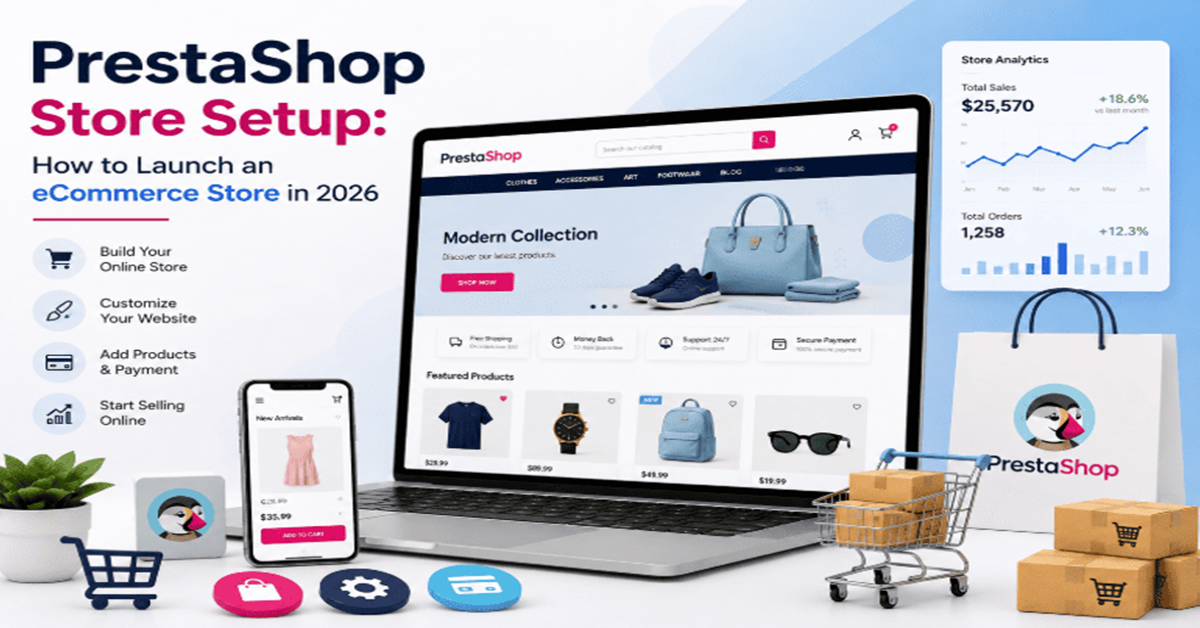
Best PrestaShop Themes can help you build a professional and engaging online store in 2026. Choosing the right eCommerce platform and theme is an important first step toward creating a successful online business. PrestaShop is a flexible, open-source eCommerce platform that allows businesses of all sizes to create, customize, and manage an online store according to their specific needs.
What is PrestaShop?
PrestaShop is a free and open-source eCommerce platform that allows businesses to build professional online stores with complete control over design, functionality, and customer experience.
To give your store a professional look from the start, you can choose a well-designed best PrestaShop theme. ThemetechMount offers responsive and SEO-friendly and Best PrestaShop themes for various industries, helping businesses launch modern and user-friendly online stores with less effort.
Why Choose the Best PrestaShop Themes for Your eCommerce Business?
Thousands of online businesses choose PrestaShop because it combines flexibility with powerful eCommerce features.
Some of the biggest advantages include:
- Open-source platform
- Unlimited product listings
- Mobile-friendly storefront
- Multiple payment gateway support
- Multi-language support
- Multi-currency functionality
For businesses planning long-term growth, PrestaShop provides complete ownership of the online store while allowing advanced customization as the business expands.
What You’ll Need Before Starting Your PrestaShop Store Setup
Before installing PrestaShop, make sure you have the following:
- A business name
- A domain name
- Reliable web hosting
- SSL Certificate
- Brand logo
- Product images
- Product descriptions
- Payment gateway account
- Shipping information
- Professional PrestaShop Theme
Preparing these essentials before you begin will make the setup process much smoother.
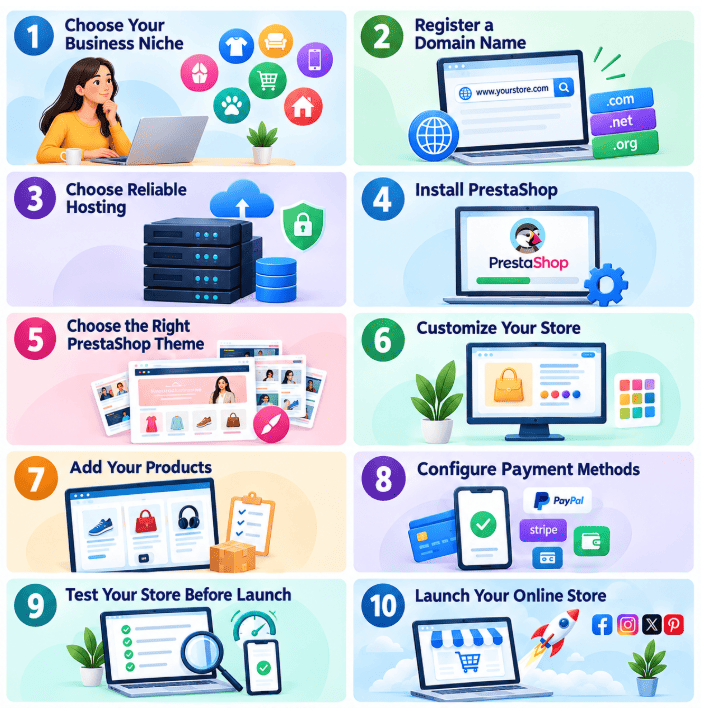
Step 1 – Choose Your Business Niche
Before building your website, clearly define what you plan to sell.
Some popular eCommerce niches include:
- Fashion & Clothing
- Furniture
- Electronics
- Grocery
- Beauty & Cosmetics
- Pet Supplies
- Home Decor
- Sports Equipment
- Automotive Parts
- Digital Products
Choosing a specific niche helps you create better branding, organize products effectively, and target the right audience.
Step 2 – Register a Domain Name
Your domain name is your online identity.
A good domain should be:
- Short
- Easy to remember
- Easy to pronounce
- Related to your business
- Free from numbers and unnecessary symbols
Step 3 – Choose Reliable Hosting
Your hosting provider directly affects your store’s speed, security, and uptime.
Look for hosting that includes:
- SSD Storage
- Free SSL Certificate
- Daily Backups
- PHP 8+ Support
- MySQL Database
- One-Click PrestaShop Installation
- 99.9% Uptime
- Fast Customer Support
Remember, even the best-designed online store won’t perform well if it’s hosted on a slow server.
Step 4 – Install PrestaShop
During installation, you’ll configure:
- Store Name
- Store Country
- Default Language
- Currency
- Admin Email
- Administrator Password
After the installation is complete, you’ll gain access to the PrestaShop Admin Dashboard, where you can manage every aspect of your online business.
Step 5 – Choose the Right PrestaShop Theme
Once your PrestaShop store is installed, the next step is choosing a theme that matches your business and creates a great first impression. Your theme affects everything from your store’s appearance to user experience, mobile responsiveness, and even loading speed.
When selecting a theme, look for features such as:
- Fully responsive design
- Fast loading performance
- SEO-friendly structure
- Easy customization options
- Modern product pages
- Multiple homepage layouts
- Cross-browser compatibility
- Regular updates and support
Best PrestaShop Themes can save development time while giving your online store a polished, professional, and business-ready appearance from day one.
Step 6 – Customize Your Store
After selecting your theme, it’s time to personalize your online store. Customization allows you to create a unique identity that reflects your brand and makes your website memorable.
A clean and consistent design helps customers navigate your store with confidence and improves the overall shopping experience.
Step 7 – Add Your Products
Products are the heart of every online store. A great design alone won’t generate sales if your product pages don’t provide enough information.
Write descriptions that explain the product’s features and benefits in a simple, customer-friendly way. Avoid copying descriptions from other websites, as unique content helps improve SEO and builds trust.
Step 8 – Configure Payment Methods
A smooth checkout process is essential for every eCommerce store. Customers should have multiple secure payment options to choose from based on their preferences.
Popular payment methods include:
- Credit & Debit Cards
- PayPal
- Stripe
- Bank Transfer
- Cash on Delivery (where applicable)
- Digital Wallets
Step 9 – Test Your Store Before Launch
Before announcing your online store, take time to test every important feature. A small issue in the checkout process or product page can lead to lost sales and a poor customer experience.
- Homepage
- Product Pages
- Search Function
- Shopping Cart
- Checkout Process
- Payment Gateway
- Shipping Calculation
- Contact Form
- Mobile Version
- Website Speed
- Broken Links
It’s always a good idea to place a test order yourself before making the store public
Step 10 – Launch Your Online Store
Once everything has been tested and optimized, you’re ready to launch.
Publishing your website is only the beginning. A successful online store continues to grow through regular updates, marketing, SEO, and customer engagement.
| Feature | PrestaShop | Shopify | WooCommerce |
| Platform Type | Open-source eCommerce platform | Hosted SaaS platform | WordPress eCommerce plugin |
| Hosting | Self-hosted | Included | Requires WordPress hosting |
| Customization | High | High, with platform limitations | High |
| Product Management | Yes | Yes | Yes |
| Multi-Language Support | Yes | Available | Available through setup/extensions |
Whether you choose PrestaShop, Shopify, or WooCommerce, the right theme can make a major difference to your store’s appearance and user experience. ThemetechMount offers professionally designed PrestaShop, Shopify, and WooCommerce themes to help businesses create modern, responsive, and user-friendly online stores across different eCommerce platforms.
FAQ
1. What is PrestaShop?
PrestaShop is a free, open-source eCommerce platform that helps businesses create and manage professional online stores. It includes features for product management, payments, shipping, customer accounts, and order processing.
2. Is PrestaShop suitable for beginners?
Yes. Beginners can build an online store with PrestaShop using a professional theme and a reliable hosting provider. Many hosting companies also offer one-click PrestaShop installation.
3. Do I need coding knowledge to use PrestaShop?
Basic store management does not require coding. However, advanced customization may require technical knowledge or developer assistance.
4. Can I customize my PrestaShop store?
Absolutely. You can customize your store’s layout, colors, fonts, homepage sections, navigation, and product pages to match your brand identity.
5. Are ThemetechMount PrestaShop themes optimized for performance?
Yes. ThemetechMount develops Best PrestaShop themes with responsive layouts, clean design, and performance-focused coding to help create a smooth shopping experience across desktop and mobile devices.